Services and ports
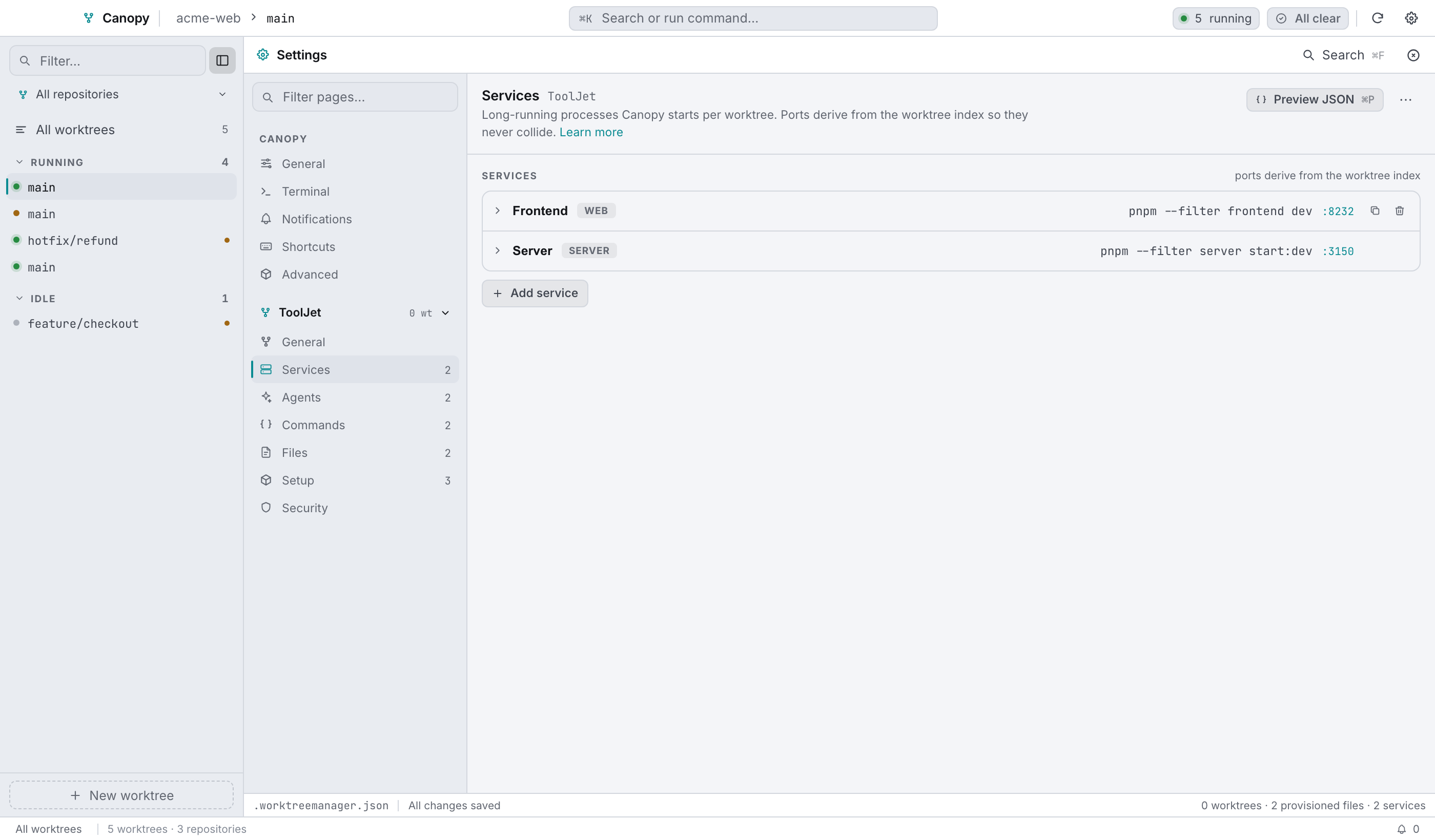
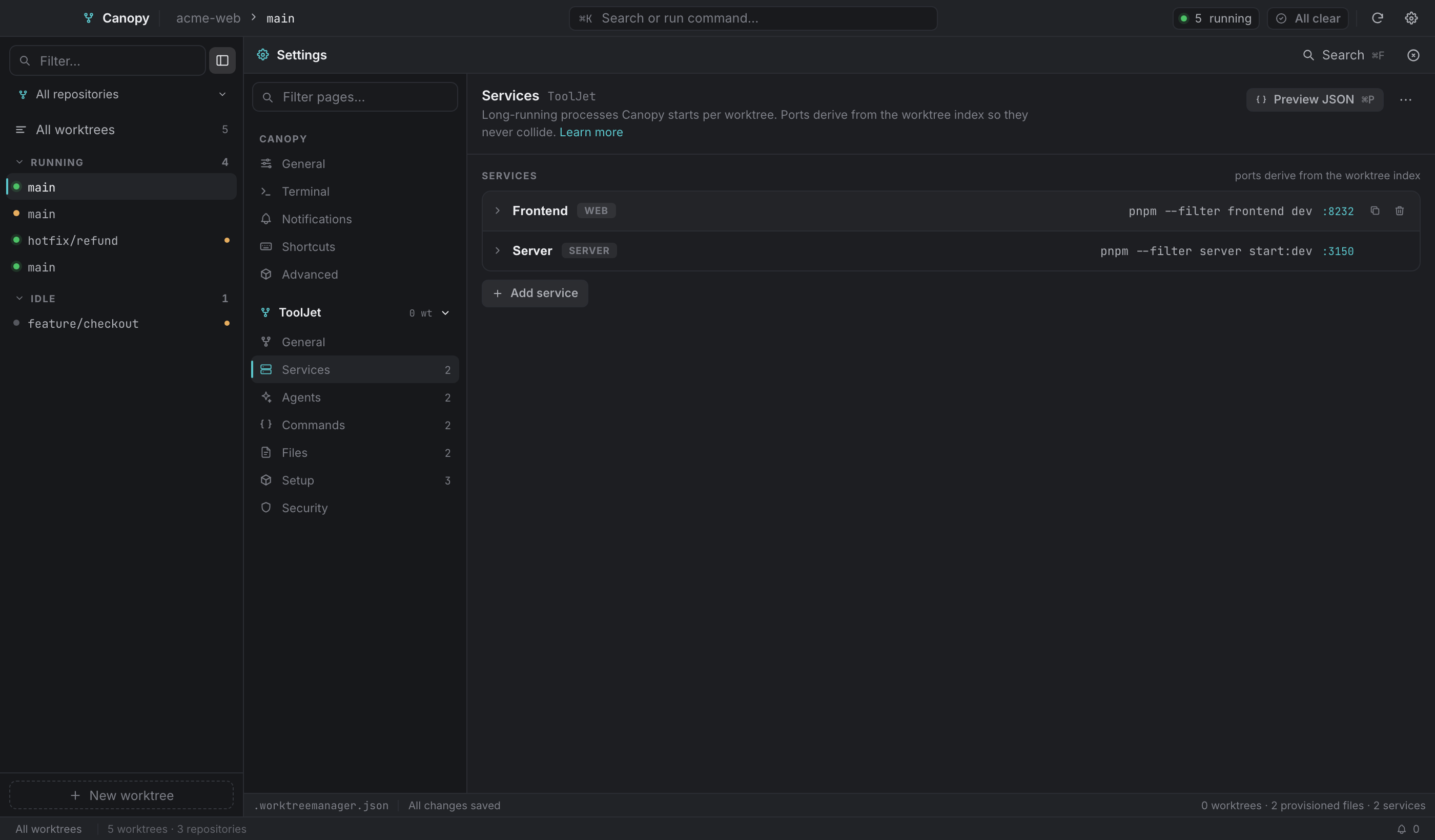
A service is a long-running process for one worktree: a frontend dev server, an API, a worker. You define the command once per repository, and Canopy runs one copy per worktree on that worktree's own port.
Defining a service#
Per repository, in Settings → Services:
| Field | Meaning |
|---|---|
id | Stable identifier (frontend, server). Part of the service key and of the port variable name. |
name | Display name. Also exposed as a port variable, so ${WT_SERVER_PORT} works for a service named "Server" whatever its id is. |
kind | web, server or worker. The web service is what "Open :port" targets and what the popover's globe opens. |
command | The shell command that starts it. Use $PORT for this service's own port. |
cwd | Working directory relative to the worktree root. Blank means the worktree root. |
basePort | The base for the port formula. Leave it empty for a service that doesn't listen. |
env | Extra environment variables, KEY=VALUE per line. |
The service rail#


Every chip carries a status dot, the name, the port, live CPU and memory while it runs, and a hover control whose meaning depends on the state:
| Status | Dot | Hover control |
|---|---|---|
running | green | Stop |
starting / stopping | amber, spinner | nothing, it's busy |
stopped | faint | Start |
error | red | Restart |
Click the port to open http://localhost:<port>, which only works while it's running. Click the chip for the service detail dialog. The rail scrolls sideways when there are a lot of services, and the custom-command buttons sit outside the scroll area so their menu can escape it.
Service detail#
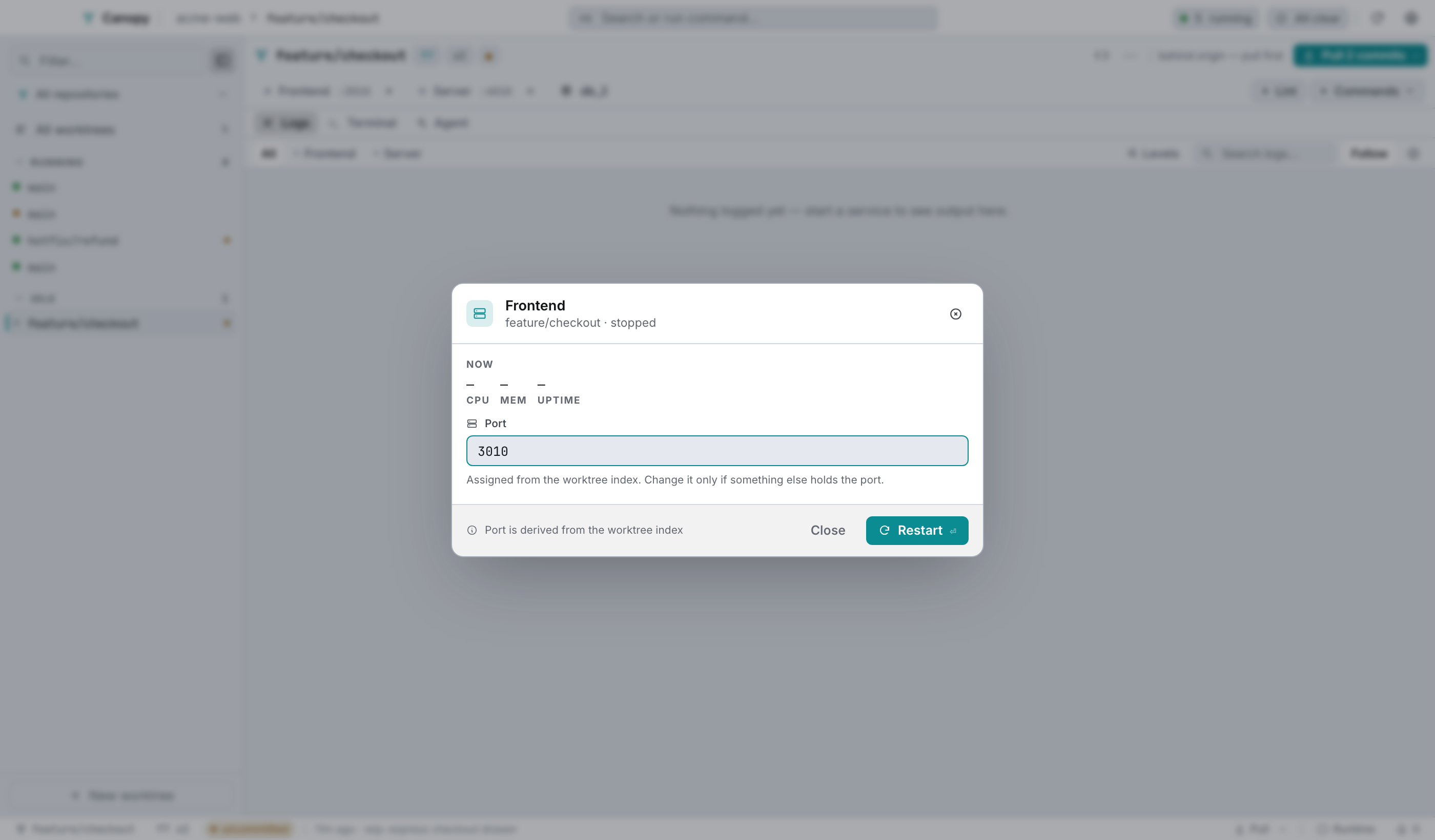
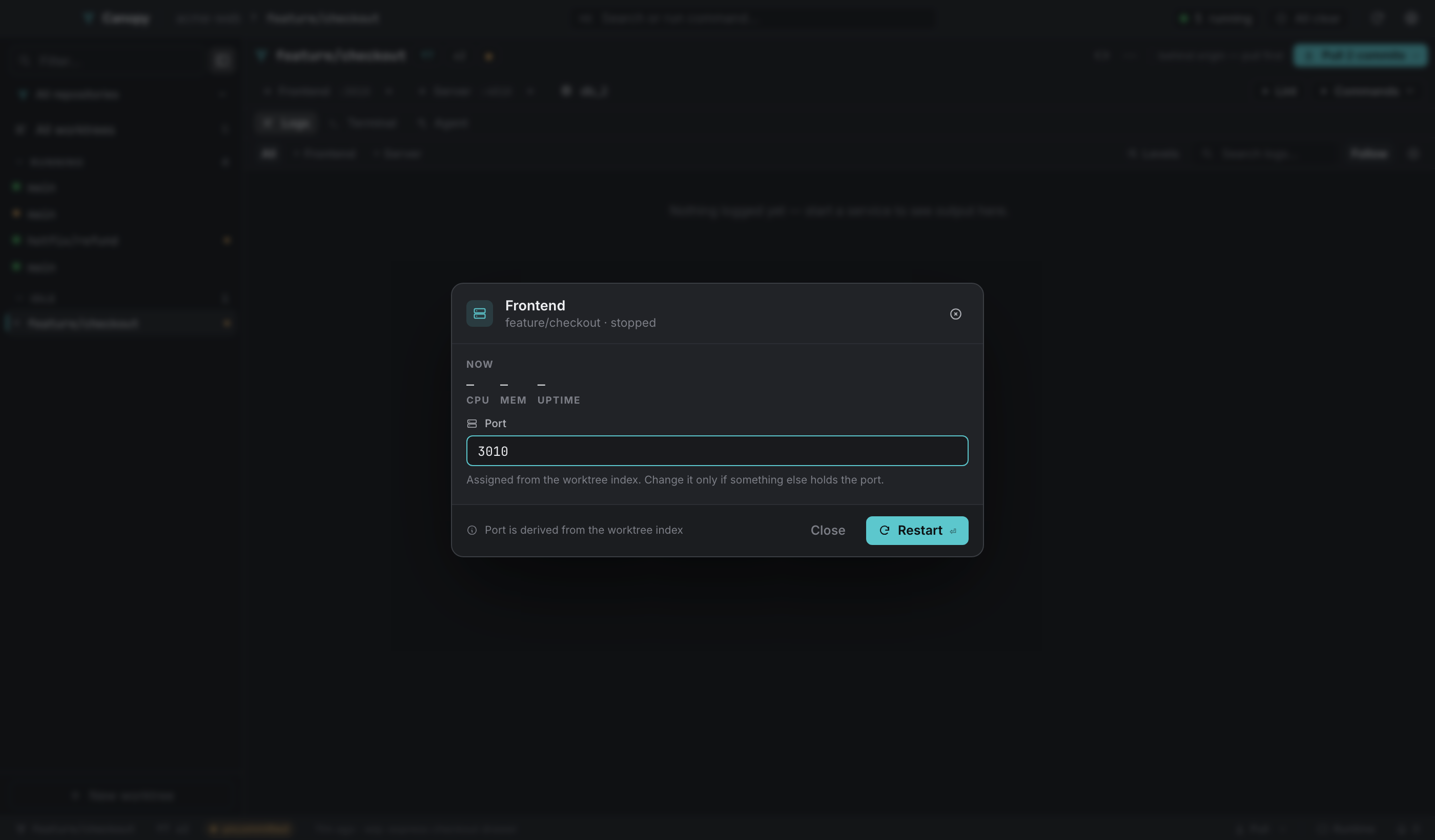
The CPU sparkline shows the last seven samples, kept on the client side since the backend streams point-in-time stats every two seconds. Below it, cpu / mem / uptime for the current sample. If the process has died, the panel is titled Last samples before exit and leads with the failure, its exit code, and the last two error lines from its log.
Port is an explicit override for this service in this worktree. It's validated between 1024 and 65535 and checked against every other worktree's ports, so a clash tells you which branch and service is holding it. Esc reverts the field, and saving restarts the service.
Stop appears while it's running. The primary button is Restart, or Save & restart if you changed the port.
The port formula#
effective port = explicit override (if set)
                 else basePort + (worktree index × 10)
Every worktree has a stable index. The main checkout is always 0, so it keeps the base ports. New worktrees take the lowest free index (1, 2, 3 and so on). Removing a worktree frees its slot and the next worktree reclaims it, which stops derived ports creeping upwards forever. Indices live in state.json per repository, so ports don't shuffle between launches, and index spaces are independent per repository.
An override is per service per worktree and beats the formula.
For a service with basePort: 3000:
| Worktree | Index | Port |
|---|---|---|
| main checkout | 0 | 3000 |
| second worktree | 1 | 3010 |
| third worktree | 2 | 3020 |
| third removed, a new one created | 2 (reclaimed) | 3020 |
Referring to ports in commands#
| Variable | Where it works | Value |
|---|---|---|
$PORT | A service's own command | That service's effective port. |
$WT_<ID>_PORT | setup, custom commands, service environments | The port of the service with that id, uppercased. |
$WT_<NAME>_PORT | same | The port of the service with that name, uppercased with non-alphanumerics as _. |
$WM_PORT_<ID> | same | Back-compat alias. |
A frontend that has to know where the API is:
# the frontend's own command
npm start -- --port $PORT
# and in .worktreemanager.json → provision → .env keys
API_URL = http://localhost:${WT_SERVER_PORT}
The Template variables page has the full list.
Starting and stopping#
| Action | Where |
|---|---|
| Start or stop one service | The rail's hover control, or the service detail dialog. |
| Restart one service | Service detail, the rail (when it has crashed), or the logs fix bar. |
| Start or stop everything in a worktree | The next-action button, the sidebar row's play/stop, the popover row, ⌘K. |
| Start or stop every worktree | The overview header, or ⌘K → Start all services / Stop all services. |
On start, the command runs through your login shell, so version managers initialise the way they do in a terminal. The worktree's pinned Node (from .nvmrc, .node-version or .tool-versions) is located in your asdf, nvm or fnm installs and put first on PATH. The process gets its own process group (a Job Object on Windows), so stopping it takes the whole child tree with it, and $PORT plus every worktree variable is exported into its environment.
On stop: SIGTERM to the process group, three seconds of grace, then SIGKILL.
Crash recovery#
Spawned process-group ids are written to state.json. If Canopy dies without cleaning up, the next launch sweeps them, checking the recorded start time so an unrelated new process that reused the pid survives. Quitting from the tray or with ⌘Q kills every group before exit.
Only one Canopy instance runs at a time. A second launch focuses the first window and exits, because otherwise instance B's startup sweep would kill instance A's running services and both would race on settings.json.
What each status means#
| Status | Meaning |
|---|---|
stopped | Not running. |
starting | Spawned, not yet confirmed up. |
running | Up. |
stopping | SIGTERM sent, waiting for exit. |
error | Exited unexpectedly. The exit code is kept and shown in service detail. |
A worktree's dot aggregates them: red if anything errored, green if everything runs, amber if something is live, faint otherwise. A worktree with no services reads as idle, not as healthy.
Custom commands#
Not services. One-shot scripts, sitting beside the runtime they operate on.
You define them per repository as { label, command, group } in Settings → Commands. The first one renders as its own labelled button and the rest collapse into a Commands popover, with a heading per group and ungrouped commands sitting together without one.
Each runs in the worktree root, on the pinned toolchain, through your login shell, with every provisioning variable available. Only one runs at a time per worktree, since they share the worktree's operation log and a second would interleave its output. Progress shows up as toasts, and the output streams into the worktree's operation log.