What Canopy is
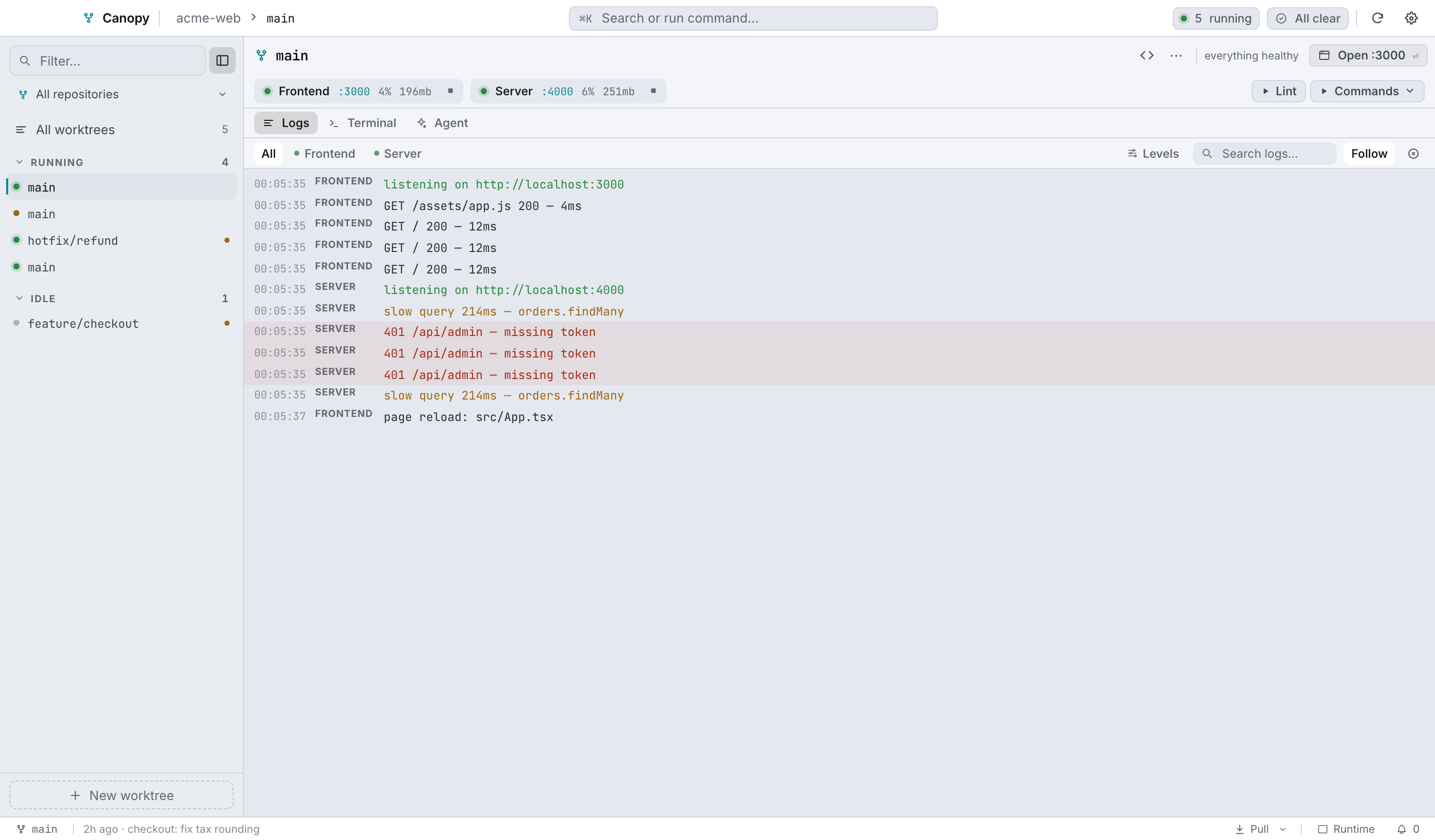
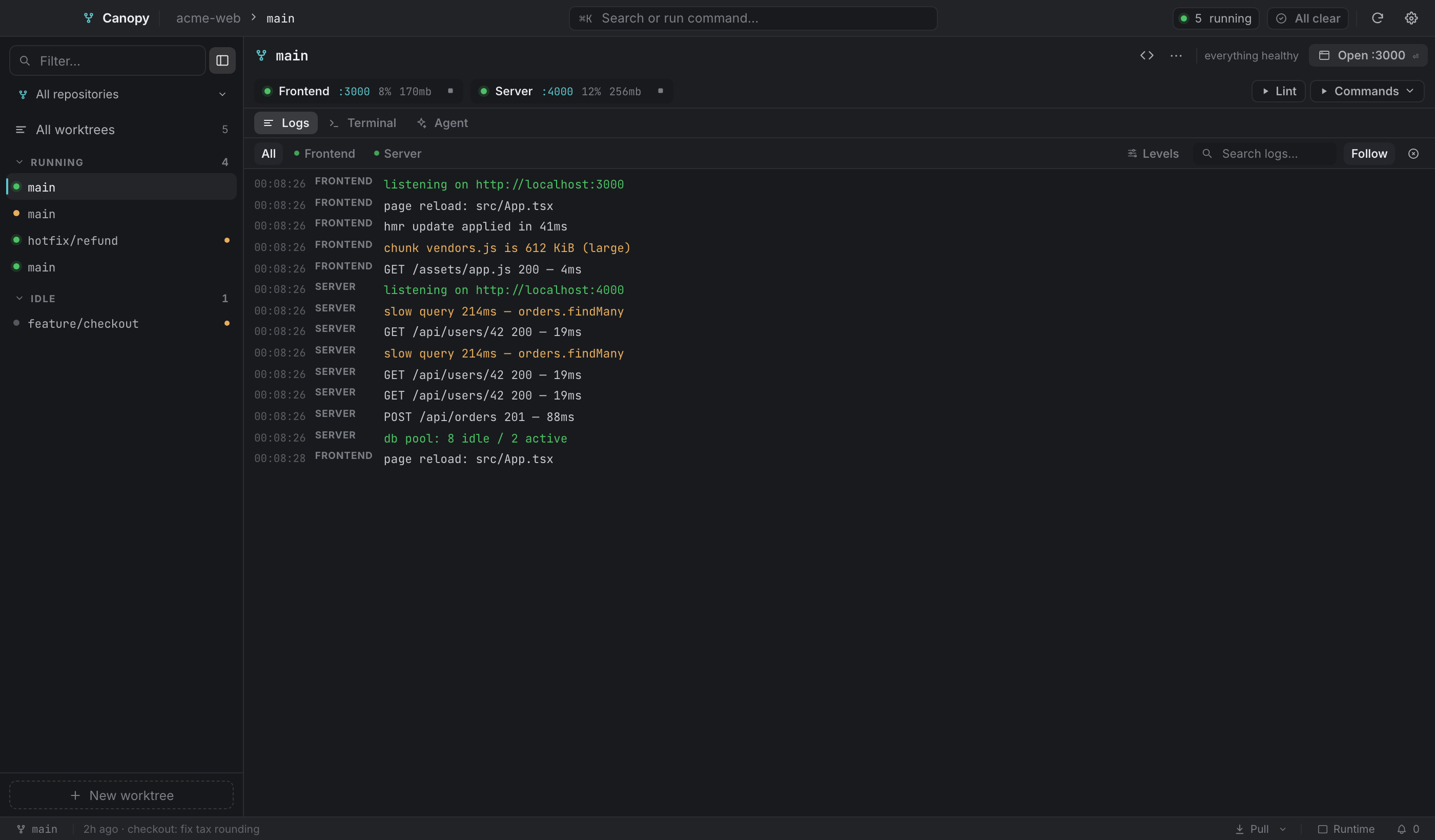
Canopy manages git worktrees and the dev servers that run inside them. It finds every worktree of the repositories you register, sets each one up (config files, its own database, ports that don't clash), and gives you one window to start and stop services, read logs, run agents and terminals, manage databases, and create or retire branches.
The problem it solves#
If you work on three branches at once with git worktree, each checkout wants its own dependencies, its own database, and its own ports. Otherwise they fight. Setting that up by hand is dull and easy to get wrong, so Canopy does it:
- Each worktree is isolated. It gets a database named after itself (
<repo>_<slug>) and ports derived from a stable index (basePort + index × 10), so you can run several branches together. - Setup travels with the branch. Which files to seed, and which commands to run afterwards, are declared in the repo's
.worktreemanager.json. - One window for all of it. Start and stop services, tail logs, pull, switch branch, snapshot or restore a database, change a port, launch a coding agent. The menu-bar popover covers the quick cases.
The 60-second mental model#
| Concept | What it means in Canopy |
|---|---|
| Repository | A git repo you register. Canopy tracks its main checkout and every worktree of it. |
| Worktree | A branch checked out into its own folder. The unit everything else hangs off. |
| Service | A long-running process for a worktree (frontend, API, worker). You give a command; Canopy runs, monitors and stops it. |
| Isolation | Each worktree gets its own database and its own ports, derived from a stable index. |
| Provisioning | The files and commands that prepare a worktree, declared in the repo so they travel with the branch. |
| Next action | Canopy ranks what to do next in each worktree and offers that one thing in a button. |
The Rust backend holds the truth about all of it: which repos are registered, which worktrees exist, what is running, and which ports are assigned. Both windows read from it and then follow its events.
Two windows and a tray icon#
The main window is where you work. Top bar, worktree sidebar, a worktree bar with the next action, the service rail, a work surface holding Logs, Terminal and Agent panes, and a status bar along the bottom.
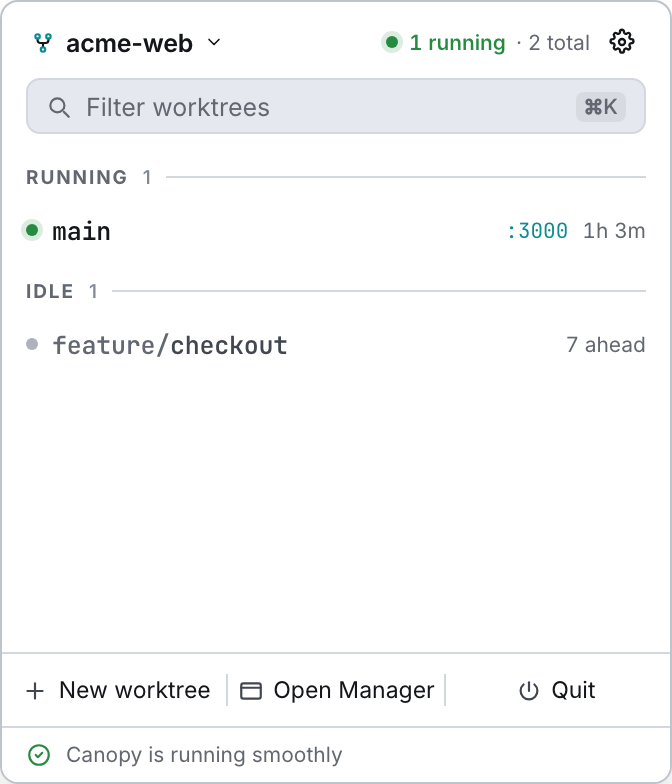
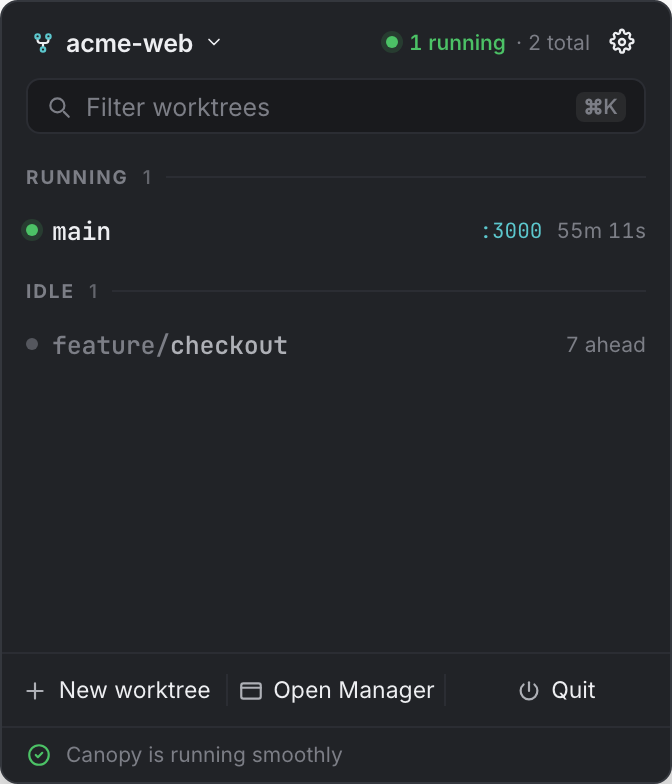
The menu-bar popover is the quick list. Start something, stop something, open it in a browser, and get back to what you were doing.
The tray icon toggles the popover. On macOS the popover is a non-activating panel, so it floats over full-screen apps without stealing focus. Linux and Windows get a small menu on the icon instead, because their tray backends don't report clicks.
What this documentation covers#
Everything in Canopy 0.4.7, written from the app's source. Some screens exist but have no backend behind them yet; those are marked coming soon here, the same way the app marks them, so nothing on these pages describes behaviour the build doesn't have. Limitations lists all of them in one place.