Databases
Each worktree gets its own database, so branches don't share data or migration state. The isolation comes from the worktree's .env, not from separate servers.
How the name is built#
WT_DB_NAME = <repo slug>_<worktree slug>The repo slug is the repository id, lowercased, with every non-alphanumeric character turned into _. The worktree slug is the worktree's folder name, put through the same treatment.
Repository tooljet with a worktree folder feature_x gives tooljet_feature_x. A folder named feat-history-state gives tooljet_feat_history_state.
You put that name to work in your provisioning config:
{
  "provision": [
    { "path": ".env", "format": "dotenv", "keys": { "PG_DB": "${WT_DB_NAME}" } }
  ]
}
How isolation works#
Every worktree points at the same Postgres server, with the same host, port, user and password copied from the main checkout's .env when the worktree was seeded. Only the database name differs. Switching database is then just rewriting PG_DB and restarting the services that read it.
Connection settings come from the worktree's .env:
| Key | Default if unset |
|---|---|
PG_DB | required; without it the database features report that it isn't set |
PG_HOST | localhost |
PG_PORT | 5432 |
PG_USER | postgres |
PG_PASS | none, and no PGPASSWORD is injected |
The database dialog#
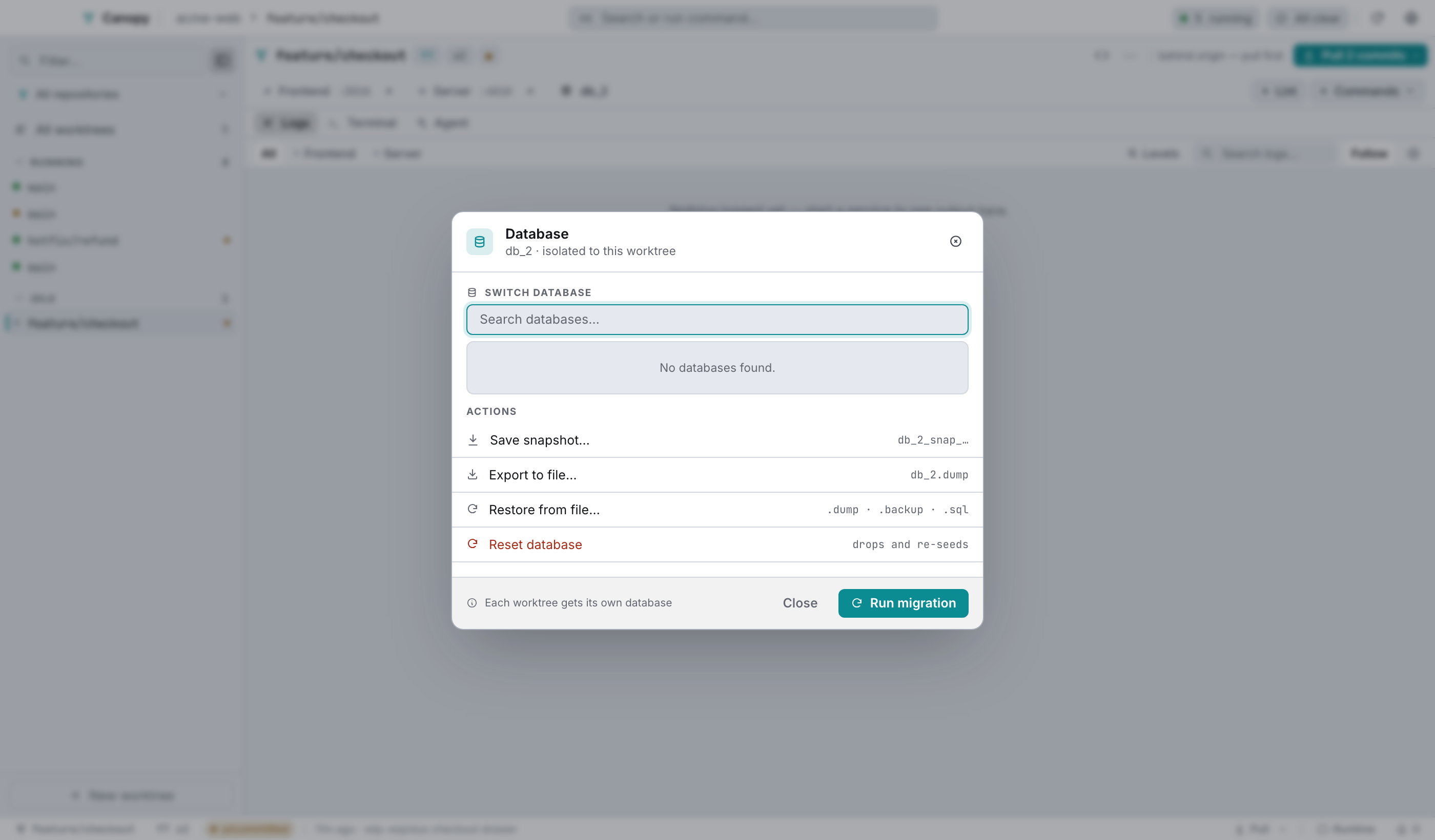
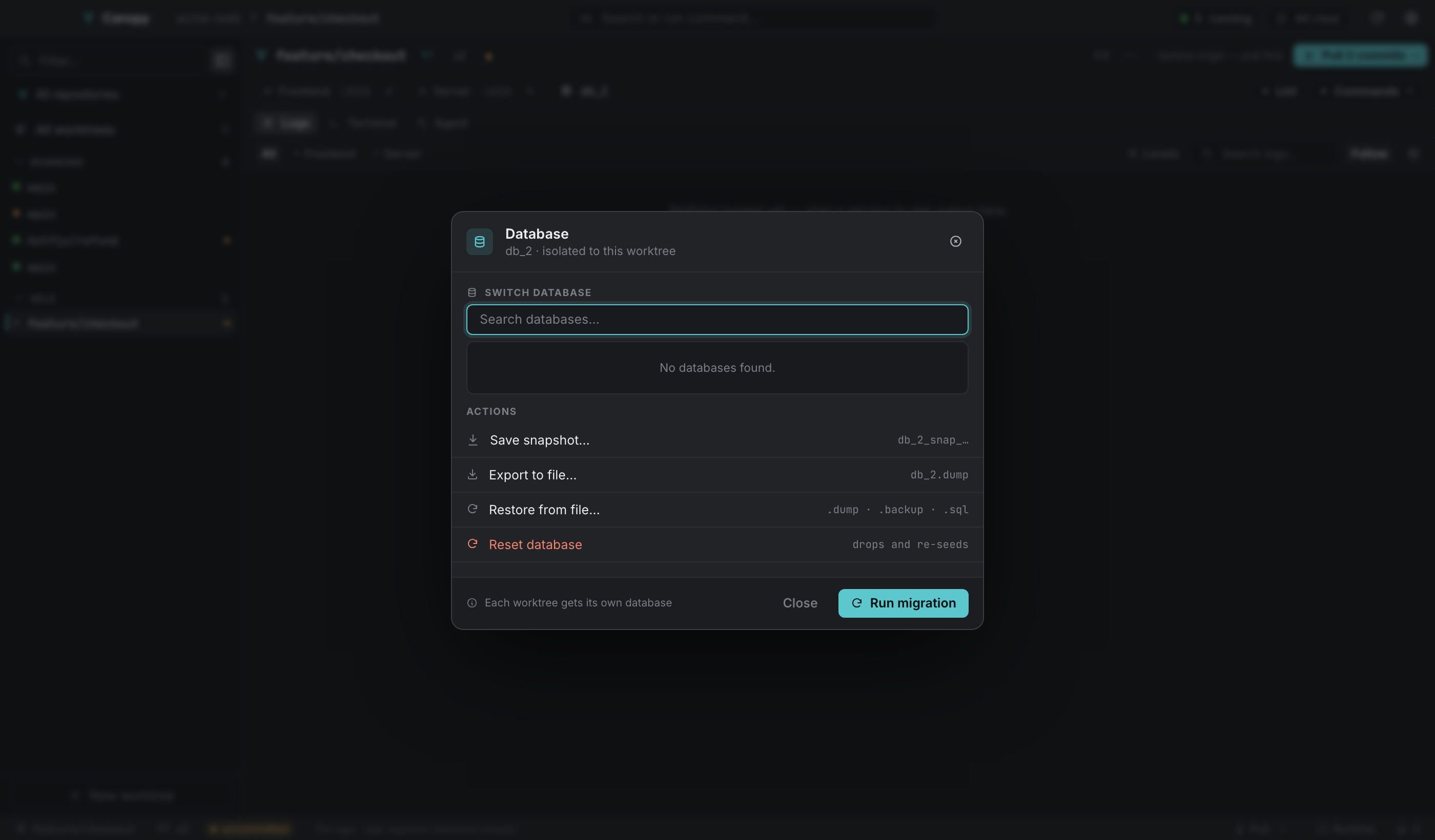
Open it from the rail's database chip, or ⋯ → Database…
Switch database#
A searchable list of every database on the server. Picking one rewrites PG_DB in the worktree's .env, restarts its server service, and confirms in the past tense: "Now using tj_main".
Save snapshot…#
A name prompt, defaulting to <db>_snap_<YYYYMMDD>_<HHMM>, that clones the current database as it stands right now. ⏎ commits the name. It's a copy, not a managed list, so restore it later by switching to it or through the export/restore pair.
Export to file…#
pg_dump into a .dump file you choose in a native save dialog.
Restore from file…#
Reads a dump from disk into the current database:
| File | Command used |
|---|---|
.dump, .backup | pg_restore --clean |
.sql | psql |
Run migration#
The primary button. It runs the repo's Migrate command from Settings, or the migrate array from .worktreemanager.json if that's empty.
Reset database#
Set apart as destructive. It runs the repo's Reset command, which by convention drops and re-seeds. Its progress arrives as events, so the dialog and the tray popover both show it running.
While a job runs#
Only one database job runs at a time. They all take the worktree's operation lease in the backend, so offering a second would only get you a busy error. The dialog stays open until the job finishes, because these take seconds to minutes, and the footer's dismiss button becomes Run in background. Use it and the outcome reports into Needs you with the error and log tail, named for the job that failed: "Snapshot failed", "Database reset failed".
Postgres client versions#
The dump and restore tooling has to match your server's major version. Canopy handles that instead of leaving it to PATH:
- It asks the live server for
server_version_num. - It prefers
Postgres.app/Versions/<major>/bin, then a Homebrew install of that major version. - It falls back to the newest installed version, and finally to whatever is on
PATH.
Each Postgres CLI invocation is capped at 15 minutes, so a hung server can't wedge the app forever. They run through a non-login shell, since Canopy composes the command lines itself and they only need PATH, with PGPASSWORD injected when PG_PASS is set.
Reset from the menu bar#
A serving worktree's row in the popover includes a database button that runs the same reset, with the spinner and the completion toast. Useful when you don't need the main window.
Limits#
Switch, snapshot, export, restore and reset assume Postgres. Another database still works fine as a service; these particular actions just don't apply to it.
There's no snapshot list, because snapshots are databases on the server that you named. And the database chip and dialog only appear once a worktree actually has a PG_DB in its .env.