Palette and overview
Two cross-worktree surfaces. One to do something, one to see everything.
The command palette (⌘K)#
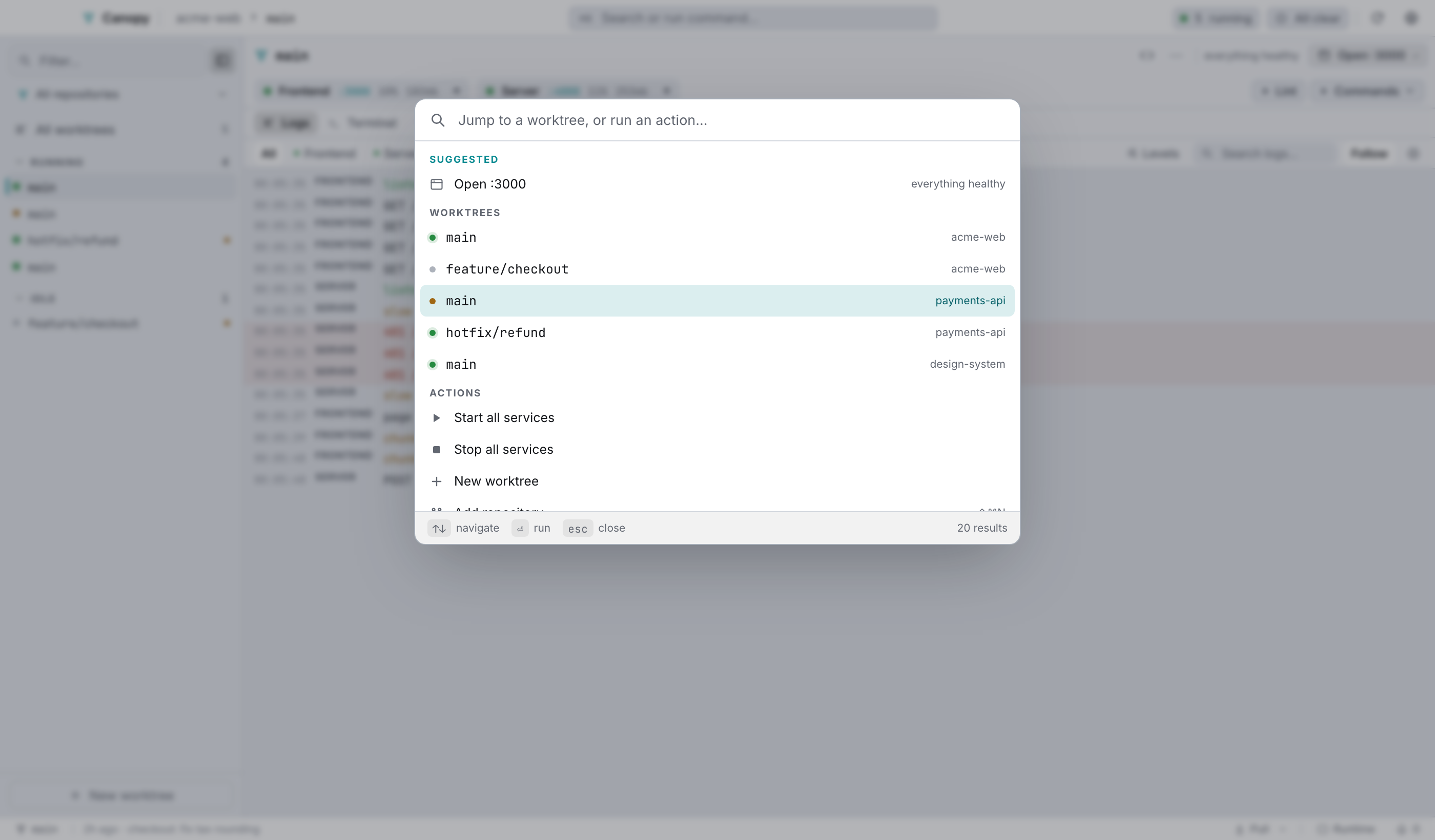
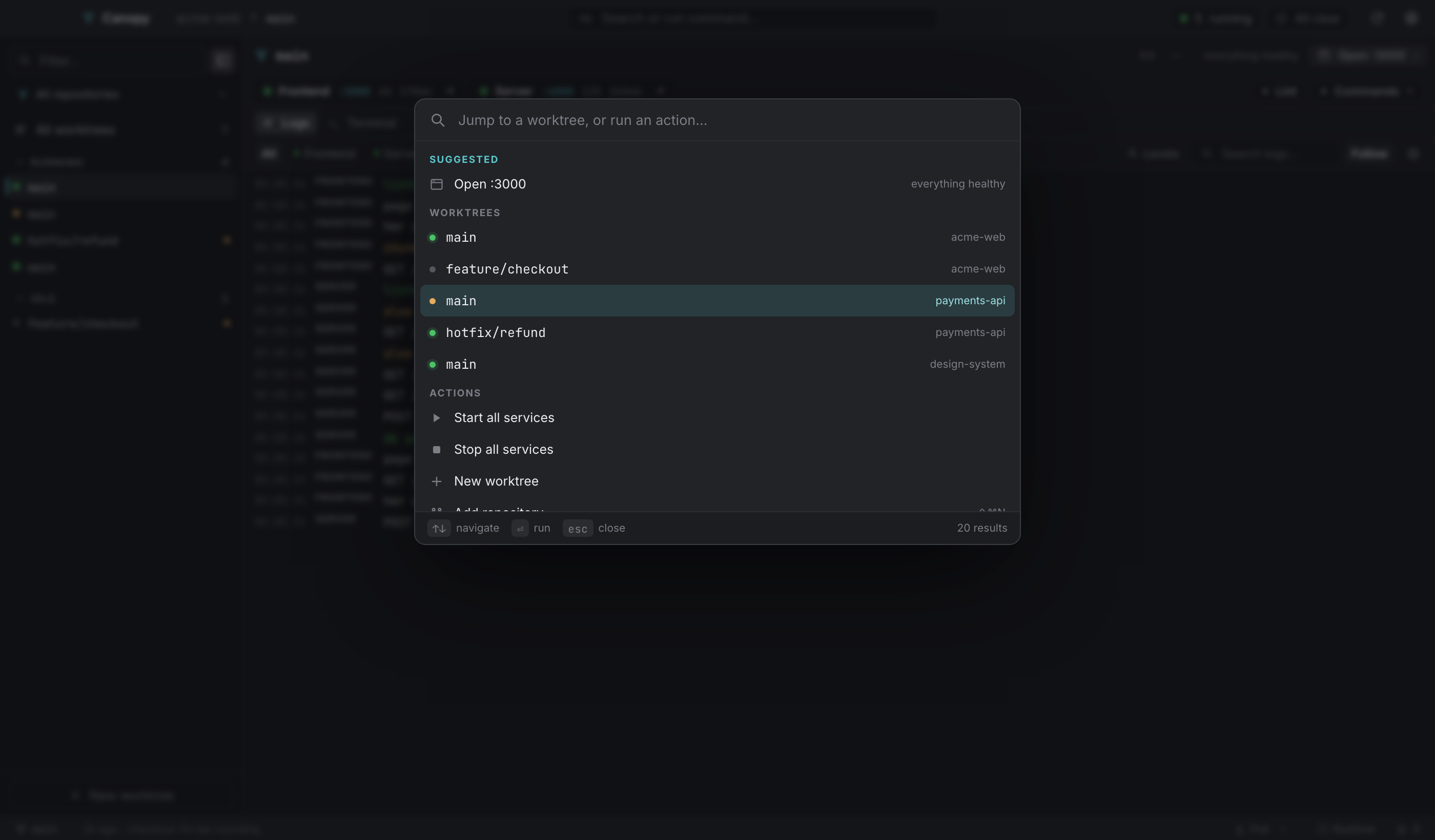
Open it with ⌘K, or the search button in the top bar. ⌘K again closes it, and so does Esc.
Suggested#
With an empty query, the first section is whatever the current state implies:
- The selected worktree's next action, with its reason.
- Up to three rows from the attention queue, phrased as imperatives: "Restart — API crashed".
Those rows call the same runner the worktree bar's button does, so ⌘K can't disagree with the rest of the app. Notices are left out on purpose: every palette row performs something, and a row that did nothing when picked would be the odd one out.
Worktrees#
Every worktree, monospaced, with its status dot and repository name. Typing filters on branch and repository. Picking one selects it.
Actions#
| Row | Effect |
|---|---|
| Start all services | Starts every worktree of every repository. |
| Stop all services | Stops every worktree. |
| New worktree | Opens the create dialog. |
Add repository (⇧⌘N) | Opens the add-repository screen. |
| Pull all worktrees | Pulls each worktree in turn. |
| Start agent here | Launches an agent in the selected worktree and switches to the Agent layout. |
| Open terminal here | Opens a shell in the selected worktree and switches to a terminal layout. |
| Layout: Runtime / Split logs + agent / Agent / Terminal + logs / Terminal | ⌘1–⌘5. |
All worktrees (⌘O) | The overview. |
| Settings | Opens Settings. |
Navigate with ↑ ↓, run the highlighted row with ⏎, close with Esc. The footer restates that and shows the result count. Hovering a row moves the highlight too, so mouse and keyboard stay in agreement.
The overview (⌘O)#
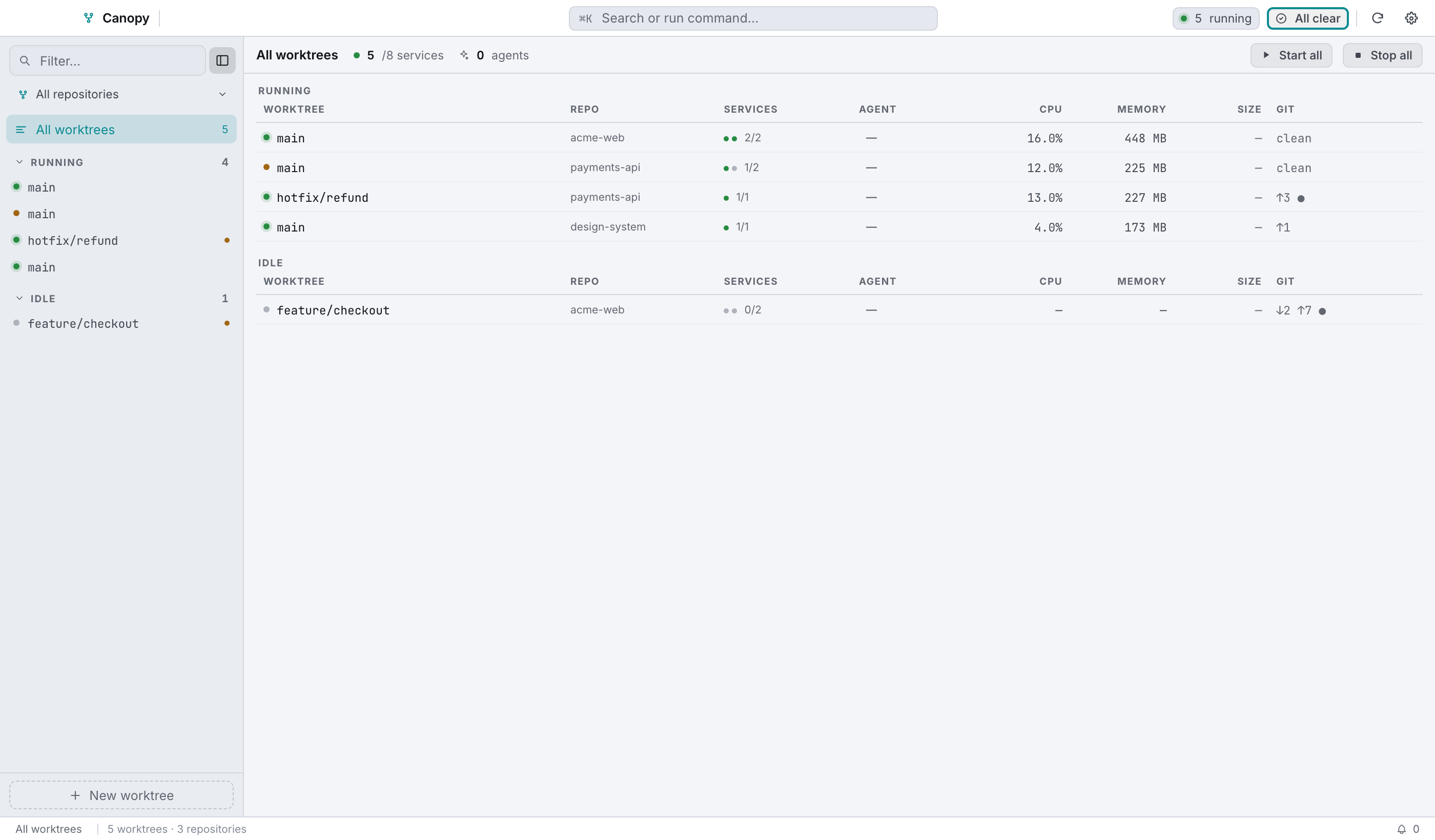
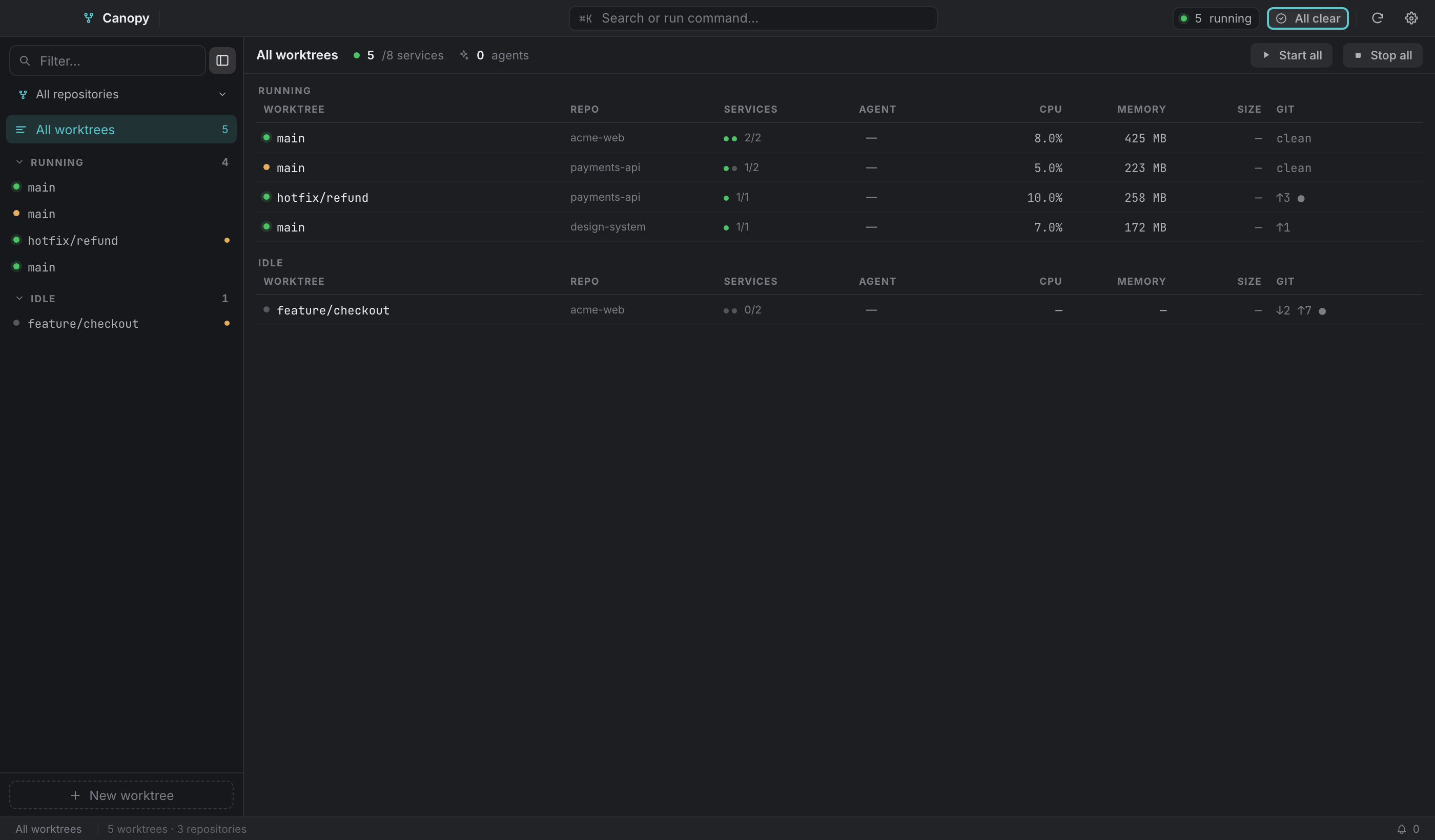
Open it with ⌘O, the top bar's N running chip, the sidebar's All worktrees row, or the palette. ⌘O toggles back.
Three sections in fixed order: Needs you, Running, Idle. Each is a table sharing one geometry, so the columns line up down the whole page.
| Column | Contents |
|---|---|
| Worktree | Status dot and branch. |
| Repo | Repository name. |
| Services | A pip per service (filled = live, red = crashed) and live/total. |
| Agent | working, waiting, or —. |
| CPU | Summed across live services only. |
| Memory | Same. |
| Size | Not measured yet, see below. |
| Git | ↓behind ↑ahead ●dirty, or clean. |
| Actions | The worktree's next action, and a terminal button. |
Clicking a row opens that worktree. The header carries live totals (N/M services, the agent count, how many need you) plus Start all and Stop all.
Choosing between them#
Know what you want to do? ⌘K. Want to know what's going on? ⌘O. Want the one thing this worktree needs? ⏎.