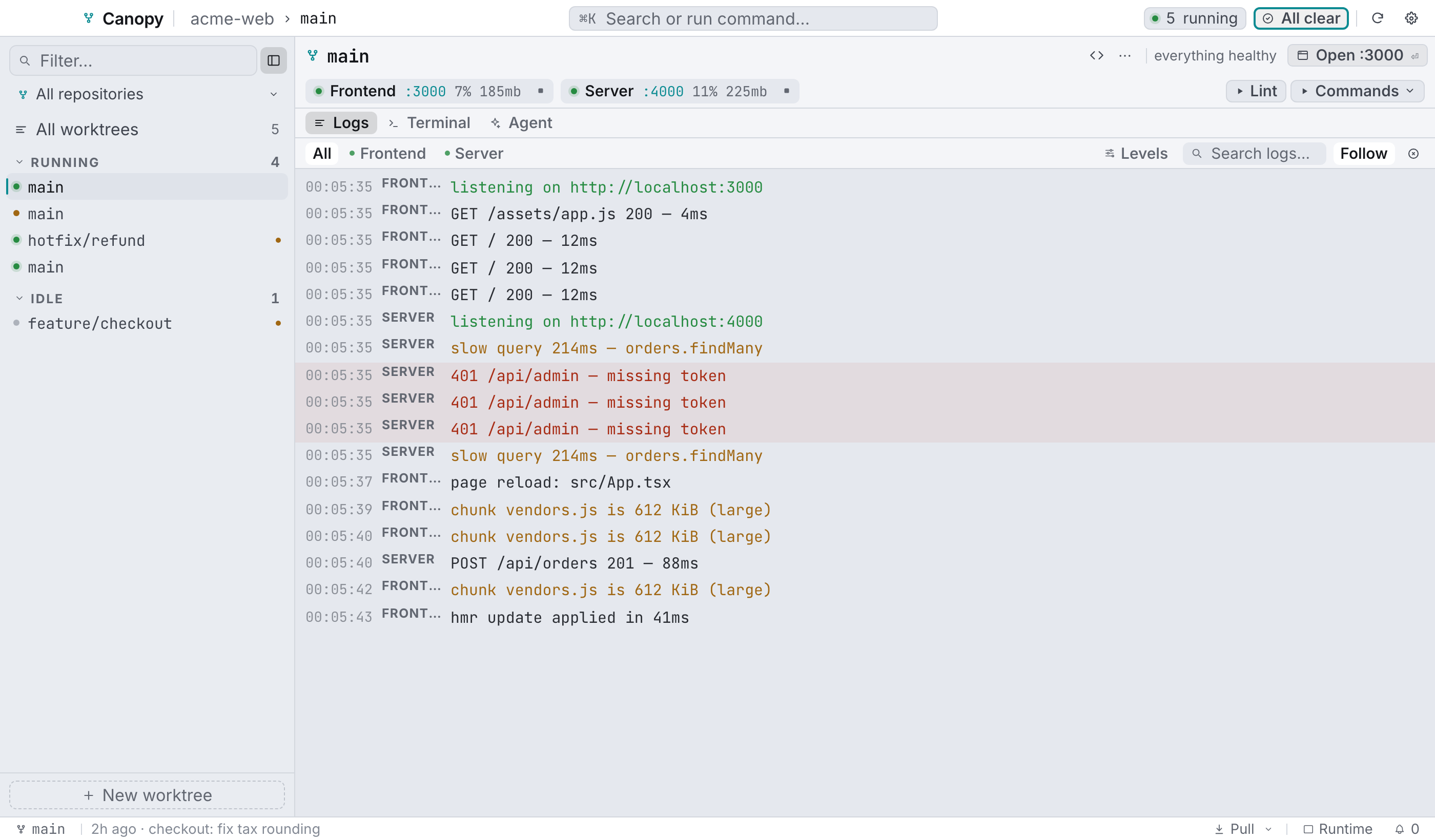
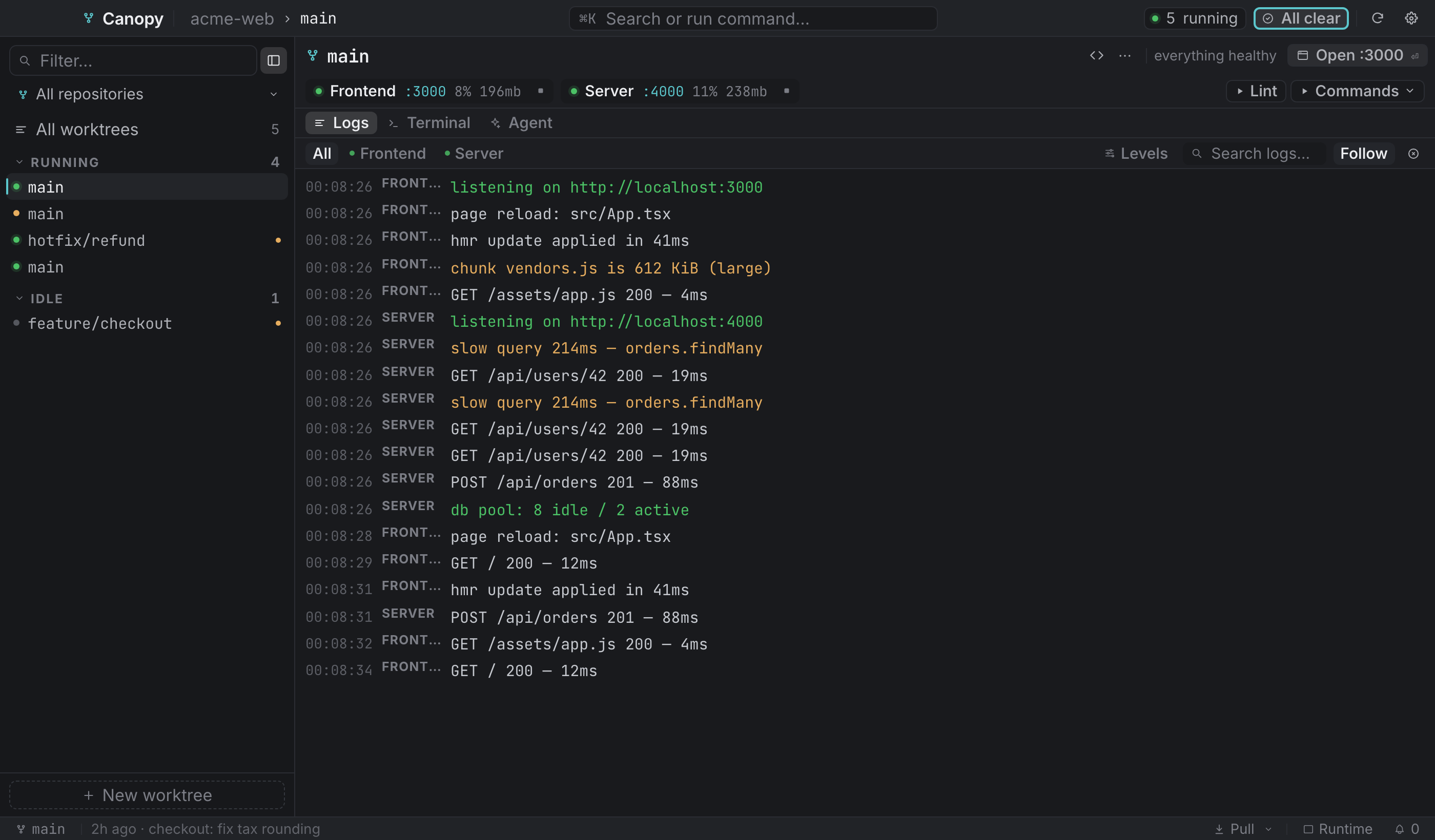
The main window
One shell, five fixed regions. Nothing floats except dialogs and popovers.
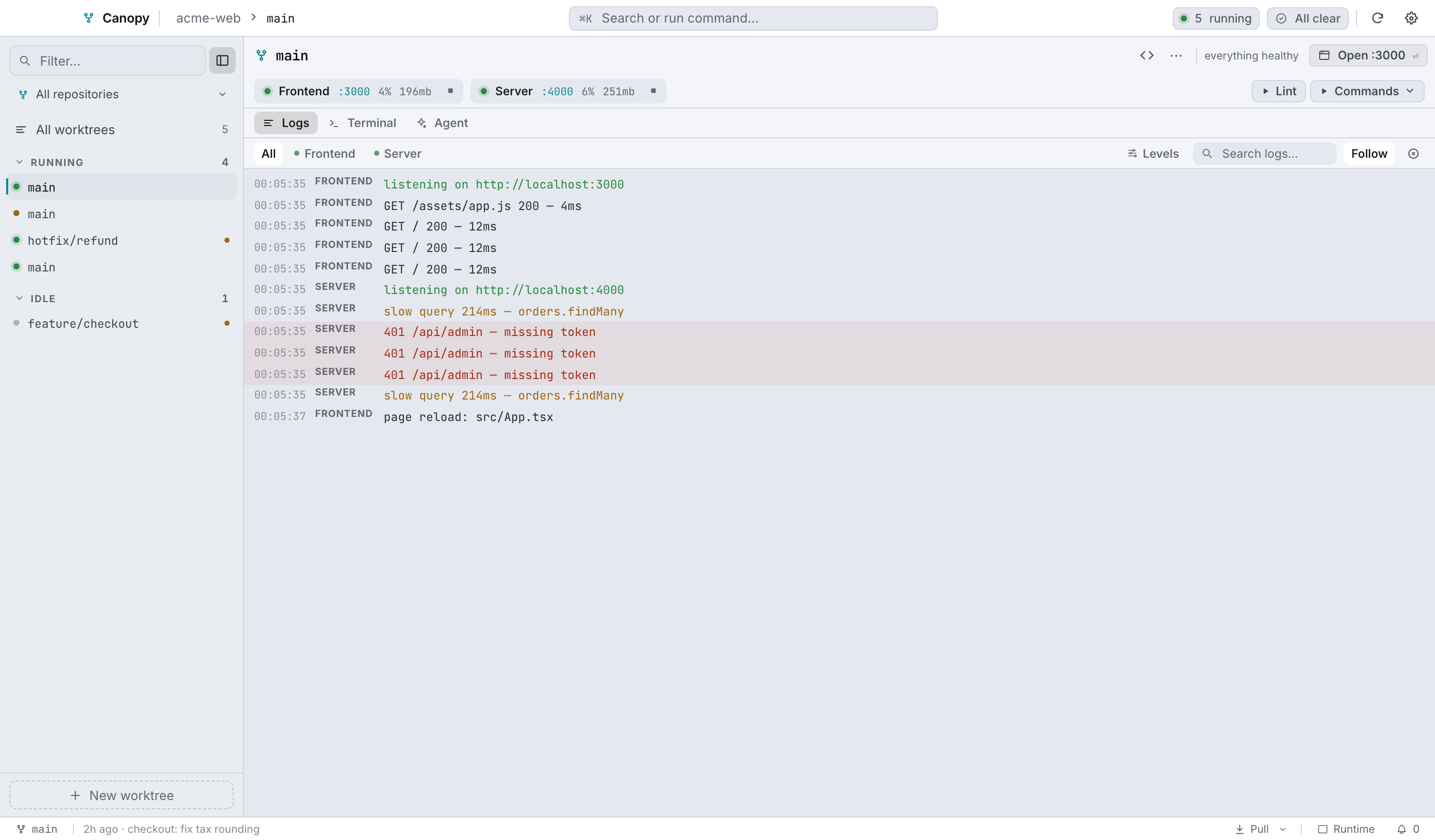
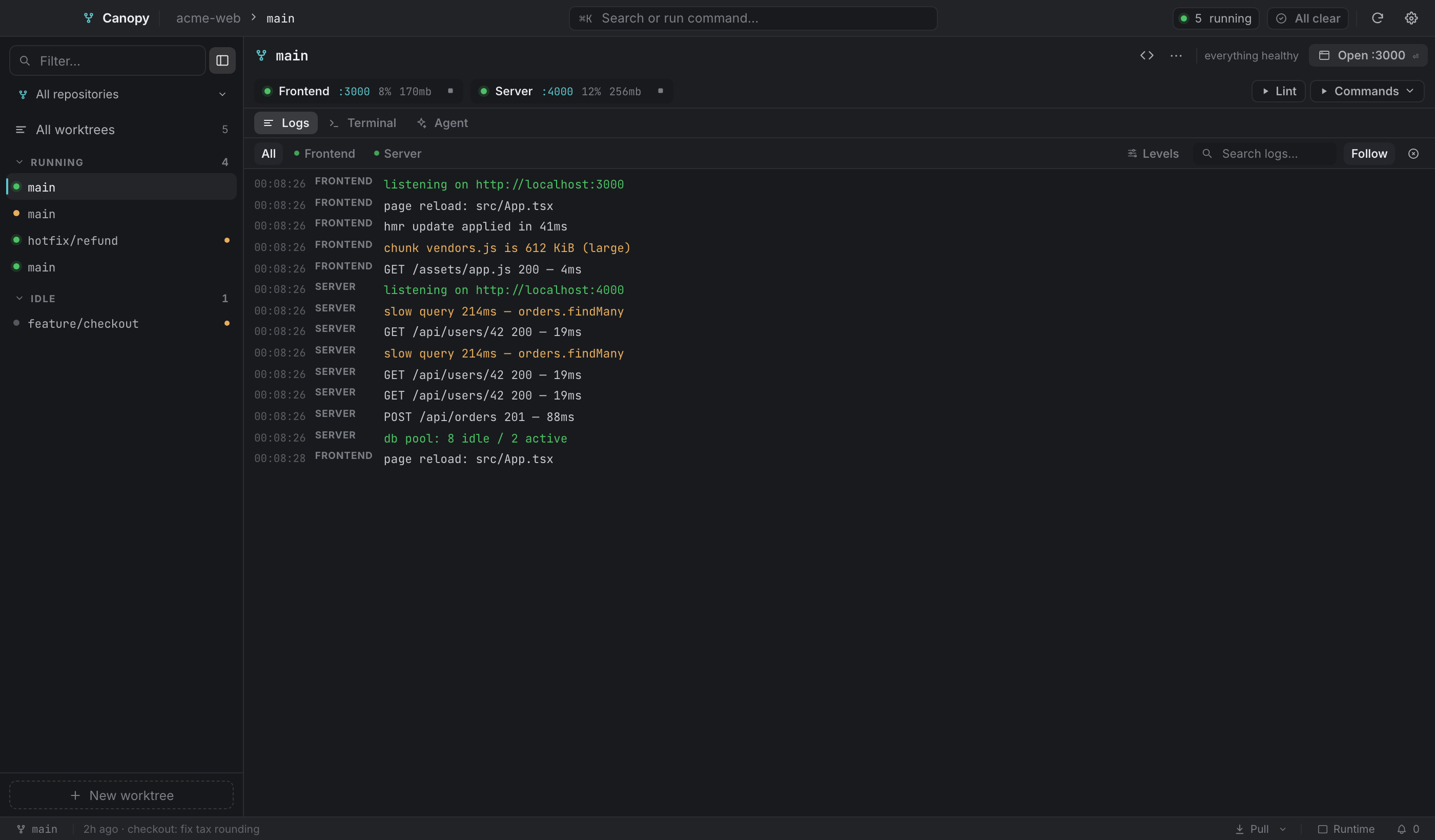
Top bar#


| Element | What it does |
|---|---|
| Brand | The Canopy mark and name. The bar is also the window's drag region. |
| Breadcrumb | repository › branch for the selected worktree. Hidden in the overview. |
| ⌘K button | Opens the command palette. |
N running chip | Total running services across every worktree. Click it for the overview. |
| Agents chip | Appears when an agent session is running. Click for the overview. |
| Needs you / All clear | The attention queue. Goes red when something crashed or a background job failed. |
| Sync | Rescans worktrees and reconciles ones deleted on disk. See below. |
| Settings | Opens Settings (⌘,). |
What Sync does#
More than a refresh:
refreshhas the backend rediscover worktrees, git metadata and services.- Open views are told to re-read each repo's
.worktreemanager.json, so edits made outside the app show up in Settings under Setup, Files and Migrate. - It lists prunable worktrees, meaning ones whose folders were deleted outside Canopy, and opens the prune dialog if it finds any. Canopy snapshots the tree before refreshing, because a vanished worktree's database name lived in its now-deleted
.envand that snapshot is the last place it exists.
Sidebar#
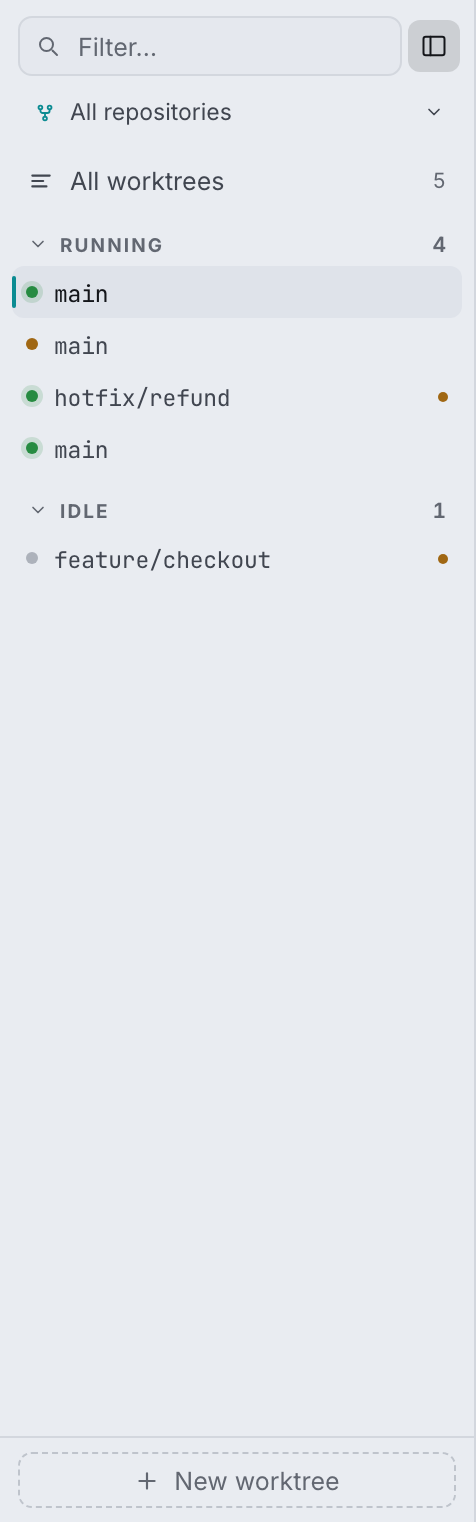
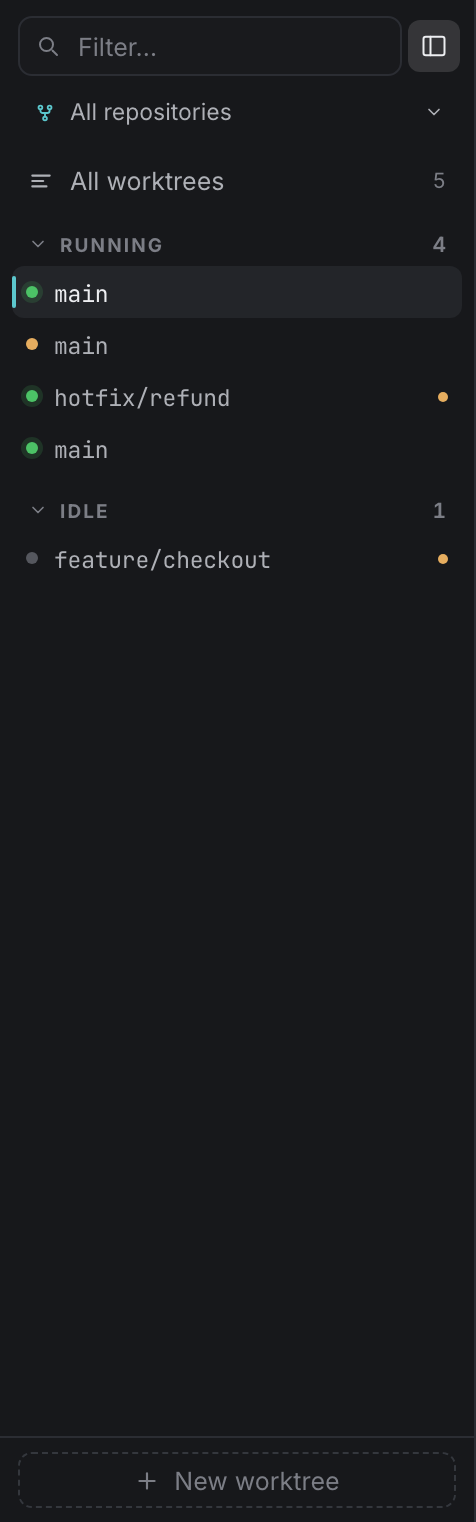
The Filter field matches branch and repository name. A repository filter appears once you have two or more repositories, ending in Add repository… ⇧⌘N below a rule. All worktrees switches to the overview (⌘O).
A worktree being created has no row in the tree yet, so it gets its own in-progress row showing the live setup step. Same when one is being removed.
Rows are grouped into Needs you, Pinned, Running and Idle. Each group collapses and shows a count. A finished background job is news rather than a demand, so it never drags its worktree into Needs you.
Each row carries:
| Part | Meaning |
|---|---|
| Status dot | green = every service running · amber = some live · red = a service crashed · faint = idle |
| Branch | Monospace, the row's identity. |
| Dirty pip | Uncommitted changes in the worktree. |
| Agent pip | Running agent sessions, with a count past one. |
| Pin | Pinned to the top group. |
| Quick actions | Start/stop all, open terminal, open in editor, pin, without opening the worktree. |
To select several: ⌘-click toggles a row, ⇧-click extends a range, and a plain click clears the multi-selection. With a selection active the footer turns into N selected · Clear · Delete N, which opens the multi-remove dialog.
⌘B hides and shows the sidebar. Hidden, a toggle appears in the worktree bar, flush against the edge the sidebar just left.
Worktree bar#
One line, and the branch is the only part that stretches:
| Element | Notes |
|---|---|
| Branch and fork glyph | Hover for the full worktree path. |
| Git chips | ↑ahead, ↓behind, ● dirty. |
| Open in editor | Uses the editor command from General settings. |
| ⋯ menu | See below. |
| The reason | A lowercase fragment explaining the button beside it. First thing to give way on a narrow window. |
| Next action | One button, named for what it will do. See The next action. |
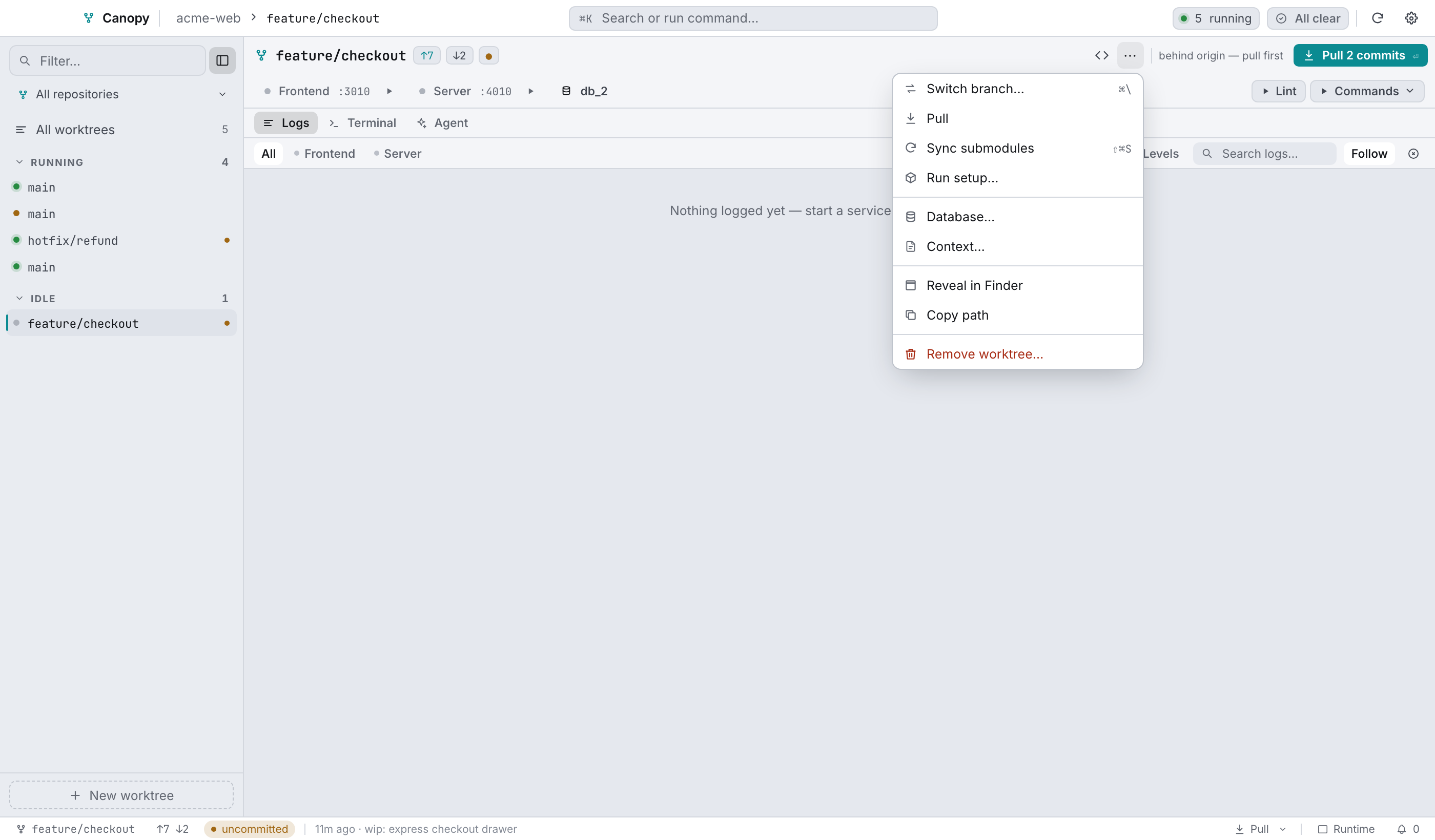
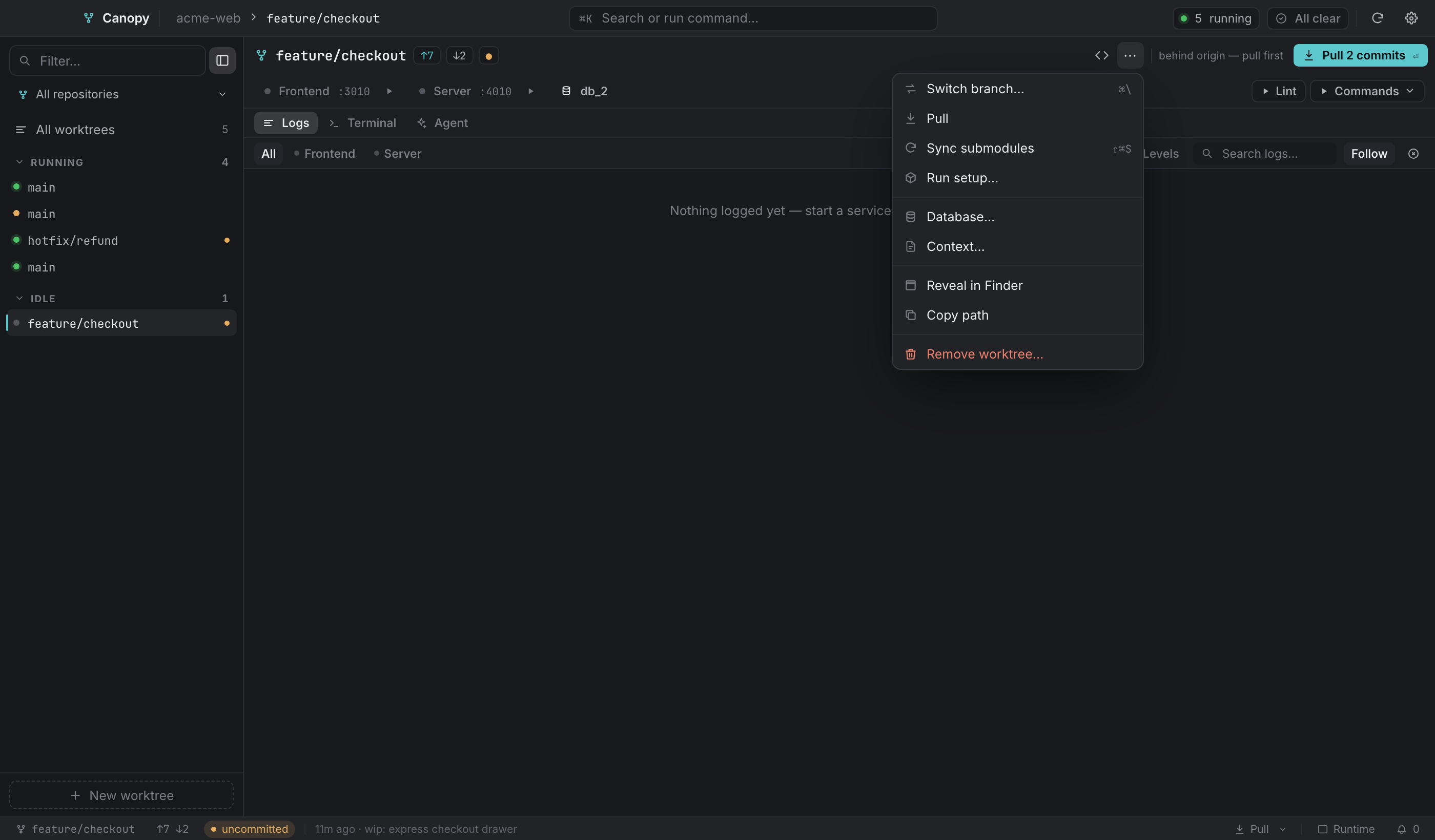
In the ⋯ menu, in order:
- Switch branch…
⌘\, if it's enabled in General settings. - Pull, the worktree and its submodules.
- Sync submodules
⇧⌘S, re-pinning submodules to the commit this worktree records. - Run setup… for the provisioning runner.
- Database… for the database tools.
- Context… for the agent context editor.
- Reveal in Finder and Copy path.
- Remove worktree…, in red, and absent on the main checkout.
Service rail#
Everything the old service cards used to say, in one 34px row. Services and ports covers it in full.


Work surface#
The middle of the window is one or two panes, and each can show Logs, Terminal or Agent. Layout presets are a keystroke each:
| Preset | Keys | Panes |
|---|---|---|
| Runtime | ⌘1 | Logs |
| Split | ⌘2 | Logs + Agent |
| Agent | ⌘3 | Agent |
| Shell | ⌘4 | Terminal + Logs |
| Terminal | ⌘5 | Terminal |
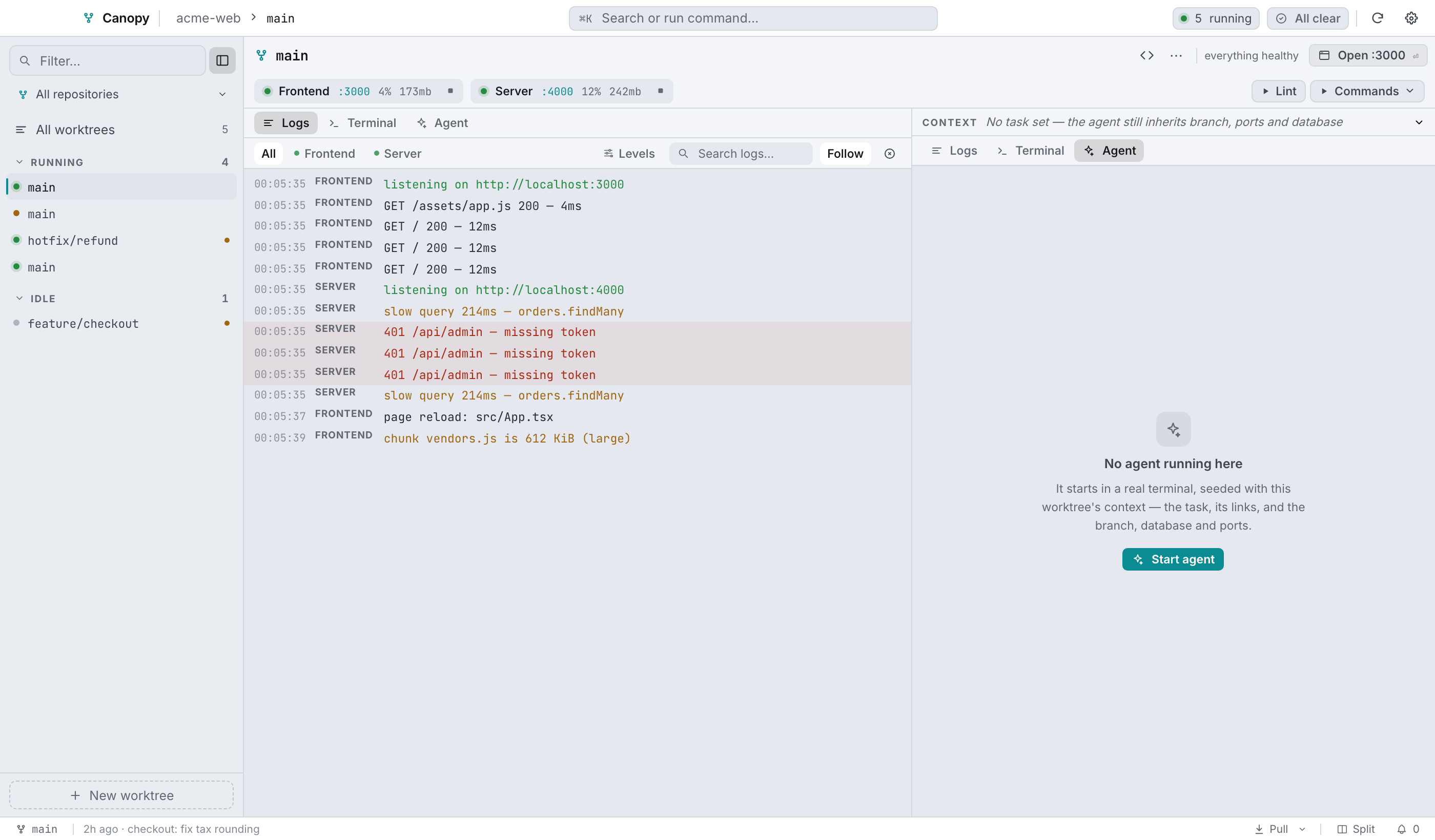
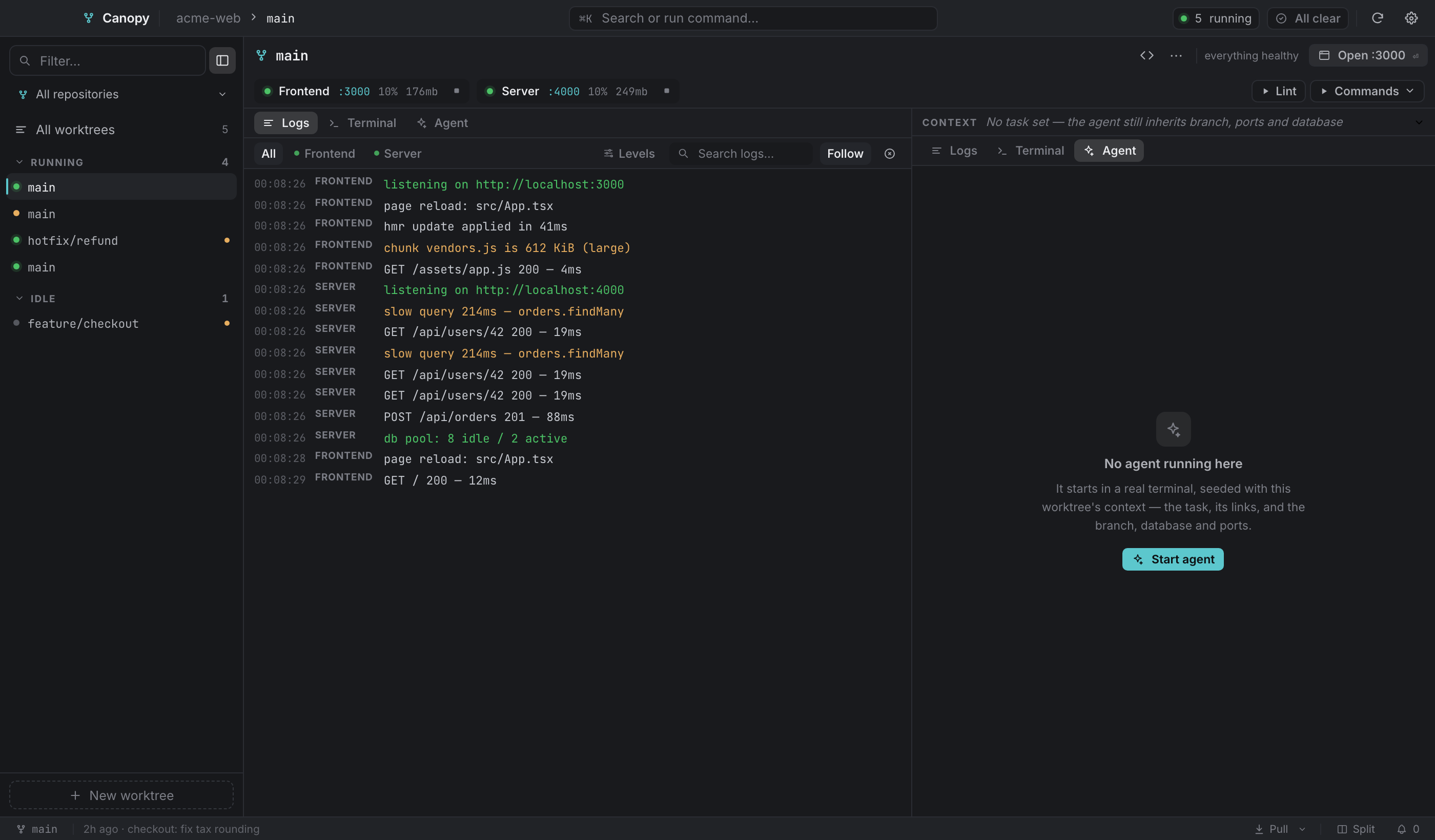
Swapping a pane's tab always works. If what you end up with isn't one of the five presets, the status bar calls it Custom. The divider drags between 22% and 78%.
Status bar#


| Element | What it does |
|---|---|
| Branch | Opens Switch branch when that action is enabled, otherwise it's plain text. |
↑a ↓b | Ahead and behind origin. |
| uncommitted | Opens the commit / stash / discard dialog. |
| Last commit | Relative time and subject. |
| Pull + caret | Pull everything, or open the per-submodule popover. |
| Agent chip | agent working or agent waiting. |
| Layout | The current preset's name. Click to cycle (⌘1–⌘5). |
| Bell | The attention queue count. |
In the overview the bar shrinks to All worktrees · N worktrees · M repositories plus the bell.
Empty states#
Every region has one, and each ends on a next step instead of an apology:
- No repositories yet, with a button into the add-repository screen.
- No services configured for this worktree, said by the rail, while the logs pane offers the next action instead of an empty stream.
- No agent running here and No terminal open here, each with a line about what starting one gives you.
Text zoom#
⌘+ and ⌘- move the app's whole type ramp in 10% steps between 80% and 160%. ⌘0 resets it. It applies live in every Canopy window and it persists.